






In today’s competitive business environment, organizations can no longer afford to manage finance, sales, inventory, purchasing, and operations using disconnected systems. As businesses grow, spreadsheets and standalone applications often create data silos, duplicate work, and limit visibility into business performance.
This is where Microsoft Dynamics 365 Business Central makes a significant difference.
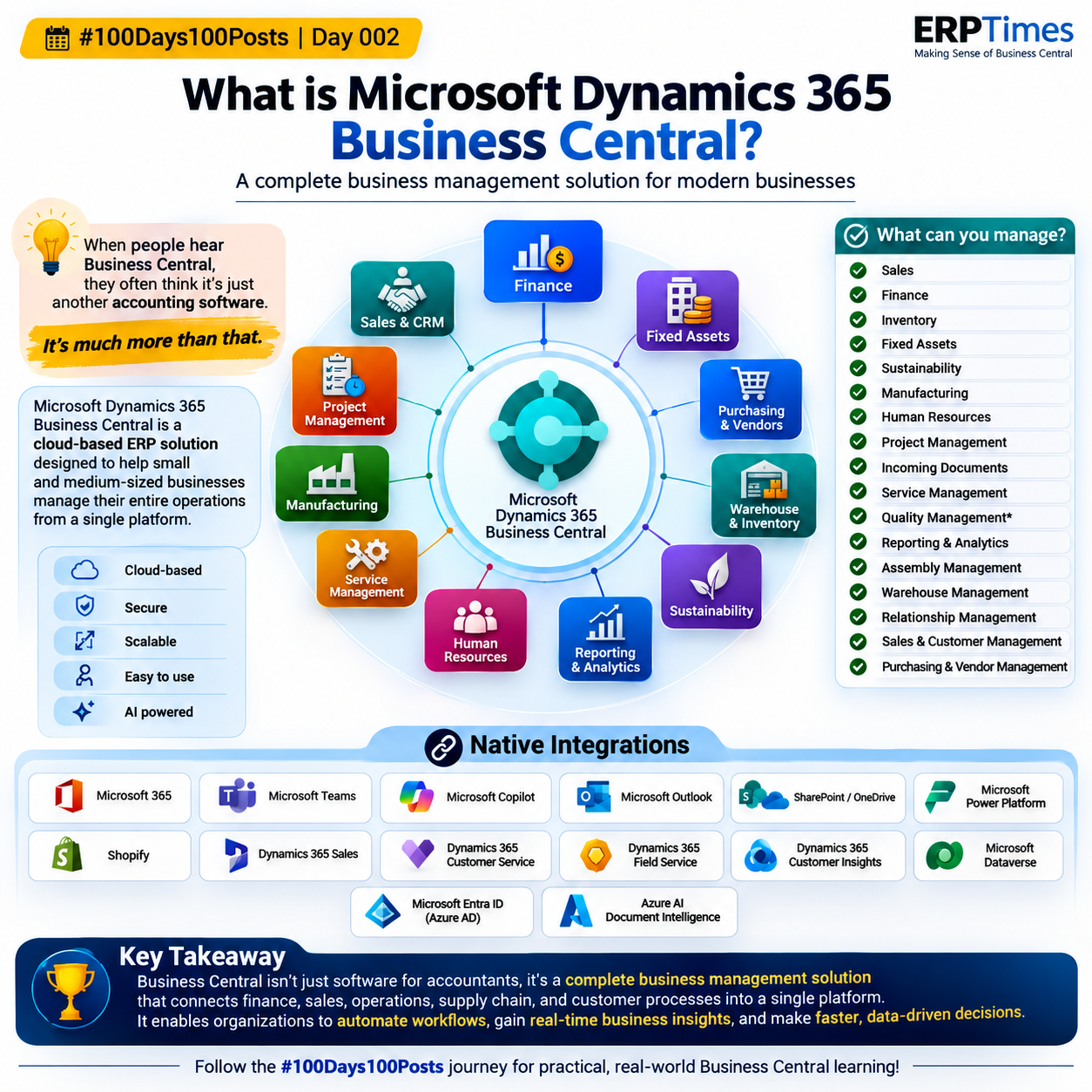
Rather than being just another accounting application, Business Central is a modern, cloud-based Enterprise Resource Planning (ERP) solution that helps small and medium-sized businesses manage their entire organization from a single, integrated platform.
Whether you’re a manufacturer, distributor, retailer, service provider, or project-based organization, Business Central provides the tools to streamline operations, improve productivity, and support informed decision-making.
What is Microsoft Dynamics 365 Business Central?
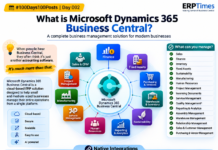
Microsoft Dynamics 365 Business Central is Microsoft’s all-in-one business management solution designed for organizations that need more than basic accounting software.
It centralizes critical business processes-including finance, sales, purchasing, inventory, manufacturing, warehousing, projects, customer management, and reporting-into one secure cloud platform.
Instead of switching between multiple applications, employees across departments work with the same real-time business data, reducing errors and improving collaboration.
The result is a connected business where information flows seamlessly across departments.
Why Businesses Need an ERP Instead of Multiple Applications
Many organizations begin with separate software solutions for accounting, inventory, CRM, payroll, purchasing, or project management. While this approach may work initially, it often creates several operational challenges:
- Duplicate data entry
- Inconsistent business information
- Limited visibility across departments
- Manual reporting
- Inefficient workflows
- Difficulty scaling operations
Business Central eliminates these issues by providing one integrated solution where every department works together using a single source of truth.
For example:
- A sales order automatically updates inventory.
- Inventory movements update financial records.
- Purchase orders affect stock availability.
- Manufacturing consumes raw materials and updates production costs.
- Project transactions flow directly into financial reporting.
This seamless integration improves accuracy while significantly reducing manual effort.
Core Business Functions Managed in Business Central
One of Business Central’s greatest strengths is the breadth of functionality available within a single application.
Finance Management
The finance module extends far beyond traditional bookkeeping.
Organizations can manage:
- General Ledger
- Accounts Receivable
- Accounts Payable
- Bank Reconciliation
- Cash Flow Forecasting
- Budgets
- Multi-Currency Transactions
- Financial Consolidation
- Fixed Assets
- Cost Accounting
- Financial Reporting
Real-time financial insights help business leaders make faster and more confident decisions.
Sales & Customer Management
Business Central supports the complete sales lifecycle.
Capabilities include:
- Sales Quotes
- Sales Orders
- Customer Pricing
- Shipment Processing
- Invoicing
- Returns
- Credit Management
- Customer History
- Sales Analysis
Integration with Dynamics 365 Sales enables sales teams to collaborate more effectively while maintaining accurate customer information.
Purchasing & Vendor Management
Organizations can efficiently manage procurement activities through:
- Purchase Requisitions
- Purchase Quotes
- Purchase Orders
- Vendor Price Lists
- Vendor Performance
- Invoice Matching
- Returns
- Approval Workflows
Automation reduces manual processing while improving purchasing accuracy.
Inventory Management
Inventory is updated in real time across the organization.
Business Central helps businesses manage:
- Multiple Warehouses
- Item Tracking
- Lot Numbers
- Serial Numbers
- Inventory Valuation
- Transfers
- Stock Adjustments
- Item Availability
- Replenishment Planning
This ensures accurate inventory visibility while minimizing stock shortages and excess inventory.
Warehouse Management
Businesses with warehouse operations can benefit from advanced warehouse capabilities, including:
- Put-away
- Pick
- Warehouse Shipments
- Warehouse Receipts
- Bin Management
- Directed Put-away
- Cycle Counting
These features improve warehouse efficiency while reducing fulfillment errors.
Manufacturing
Manufacturing companies can manage production using integrated capabilities such as:
- Production Orders
- Bills of Materials (BOM)
- Routings
- Capacity Planning
- Material Requirements Planning (MRP)
- Shop Floor Control
- Consumption Journals
- Production Costing
Business Central helps manufacturers optimize production while improving visibility into operational costs.
Project Management
Service organizations and project-based businesses can monitor projects from planning through completion.
Key features include:
- Job Planning
- Resource Management
- Budgets
- Time Sheets
- Project Cost Tracking
- Revenue Recognition
- Project Billing
- Profitability Analysis
Managers gain greater control over project timelines, costs, and profitability.
Service Management
Organizations providing after-sales service can manage:
- Service Orders
- Service Contracts
- Service Items
- Maintenance Activities
- Technician Scheduling
- Service Invoicing
This helps improve customer satisfaction and operational efficiency.
Human Resources
The HR module supports employee administration, including:
- Employee Records
- Skills Tracking
- Absence Management
- Employee Documents
- Confidential Information
Although not intended to replace a full HRMS, it provides essential employee management capabilities.
Fixed Assets
Business Central simplifies asset management by providing:
- Asset Registration
- Depreciation
- Maintenance Tracking
- Insurance Details
- Disposal Management
- Asset Transfers
Finance teams can accurately manage the complete asset lifecycle.
Assembly Management
Businesses assembling products without full manufacturing requirements can benefit from:
- Assembly Orders
- Component Consumption
- Output Posting
- Assembly Costing
This functionality is ideal for light manufacturing and product assembly operations.
Incoming Documents
Organizations can digitize paper-based processes through:
- Document Capture
- Invoice Attachments
- Vendor Documents
- Purchase Invoice Processing
- Electronic Record Management
This reduces paperwork while improving document accessibility.
Sustainability Management
Business Central now includes capabilities to help organizations monitor sustainability initiatives, including:
- Carbon Emission Tracking
- Sustainability Journals
- Environmental Reporting
- ESG Data Collection
Businesses can better support sustainability goals while preparing for future reporting requirements.
Reporting & Business Intelligence
One of the biggest advantages of Business Central is access to real-time reporting.
Organizations can analyze:
- Sales Performance
- Financial Statements
- Inventory Trends
- Profitability
- Cash Flow
- Customer Analysis
- Vendor Performance
- Operational KPIs
When combined with Microsoft Power BI, executives gain interactive dashboards for data-driven decision-making.
Powerful Native Integrations
Business Central becomes even more powerful through Microsoft’s connected ecosystem.
Native integrations include:
- Microsoft 365
- Microsoft Teams
- Microsoft Outlook
- Microsoft Copilot
- Microsoft Power Platform
- Microsoft Dataverse
- SharePoint
- OneDrive
- Microsoft Entra ID (formerly Azure Active Directory)
- Shopify
- Dynamics 365 Sales
- Dynamics 365 Customer Service
- Dynamics 365 Field Service
- Dynamics 365 Customer Insights
- Azure AI Document Intelligence
These integrations reduce manual work, improve collaboration, and enable businesses to automate end-to-end processes.
Business Benefits of Microsoft Dynamics 365 Business Central
Organizations adopting Business Central often experience significant operational improvements, including:
- Centralized business information
- Real-time reporting and analytics
- Automated workflows
- Reduced manual data entry
- Improved financial visibility
- Better inventory control
- Enhanced customer service
- Faster business decisions
- Increased collaboration across departments
- Scalable cloud infrastructure
- Enterprise-grade security from Microsoft
- Continuous feature updates without complex upgrades
Who Should Use Business Central?
Business Central is ideal for organizations that have outgrown entry-level accounting software and need a scalable ERP platform.
It is particularly well suited for:
- Manufacturing companies
- Wholesale distributors
- Retail businesses
- Professional services firms
- Project-based organizations
- Trading companies
- Import and export businesses
- Growing small and medium-sized enterprises (SMEs)
Whether an organization has 10 employees or several hundred users, Business Central can scale alongside business growth.
Is Business Central Only for Finance Teams?
This is one of the most common misconceptions.
While Business Central includes comprehensive financial management capabilities, it is designed for every department within an organization.
Different teams use Business Central in different ways:
- Finance teams manage accounting and compliance.
- Sales teams create quotes and process orders.
- Procurement teams handle purchasing and vendors.
- Warehouse teams manage inventory and shipments.
- Manufacturing teams plan and execute production.
- Project managers monitor budgets and resources.
- Business leaders analyze KPIs and performance.
Because every department works within the same system, businesses gain complete operational visibility.
Final Thoughts
Microsoft Dynamics 365 Business Central is far more than an accounting application. It is a comprehensive ERP platform that connects finance, sales, purchasing, inventory, warehousing, manufacturing, projects, customer management, reporting, and business intelligence into one unified solution.
By replacing disconnected systems with a single, integrated platform, organizations can automate routine tasks, improve collaboration, gain real-time visibility into operations, and make faster, data-driven decisions.
For businesses seeking to improve efficiency, support future growth, and embrace digital transformation, Microsoft Dynamics 365 Business Central provides a modern, scalable foundation built on Microsoft’s trusted cloud ecosystem.
As organizations continue to evolve, having one connected platform for managing the entire business is no longer a luxury-it’s a strategic advantage.
[…] What is Microsoft Dynamics 365 Business Central? A Complete Guide for… […]